
- Blocks
- 11
- Effects
- 305
- Patches
- 256
- Link
- USB-MIDI
- Browser
- Chrome / Edge
- Licence
- GPL-3.0
- Price
- Free
Every block is a pedal
Your whole chain, laid out like a board. Drag to reorder, turn a knob, and you hear it on the pedal straight away.
All 305 effects are matched to the real amps and stompboxes they model, so “MESS4 LD 3” reads as a Mesa/Boogie Mark IV instead of a code you have to look up.
- Eleven blocks: PRE WAH DST AMP NR CAB EQ MOD DLY RVB VOL
- Browse effects by category, with the gear each one models
- Drag the FX loop send and return anywhere in the chain

A loop station the pedal doesn’t have
The GP-200 records one loop. This records as many as you like.
Your first take sets the length, and every take after it locks to that timing. Best part: teach it your footswitches once and you never touch the laptop again while you play.
- Unlimited takes over the pedal’s own USB audio
- MIDI-learn any footswitch to record, stop or add a take
- Loop-grid lock, fixed bar counts, note trigger and latency trim

Set your footswitches up once
Bind the CTRL footswitches to any combination of blocks, and map an expression pedal to any knob with its own heel and toe values.
Then stamp that layout across a bank, or across all 256 patches, with Bulk Apply. It is the fix for the “I set this up 40 times by hand” problem.
- Eight CTRL footswitches, any combination of blocks each
- EXP 1 (modes A and B) and EXP 2, mapped per patch
- Bulk Apply across a bank range or the whole device


The amps, by their real names
The GP-200 shows you a code. GP200 Studio shows you the amplifier, for every model on the unit — and the same goes for the stompboxes and the cabinets.
- UK 800
- Marshall® JCM800
- Solo100 LD
- Soldano® SLO100 (Overdrive)
- Dark Twin
- Fender® '65 Twin Reverb
- Foxy 30TB
- VOX® AC30HW (Drive)
- Mess4 LD 3
- Mesa/Boogie® Mark IV (Lead 3)
- Mess DualM
- Mesa/Boogie® Dual Rectifier® (Modern)
- Bog RedM
- Bogner® XTC red channel
- Flagman+ 2
- Friedman BE100 Brown Eye
- Dizz VH+
- Diezel® VH4 (Distortion)
- EV 51
- Peavey® 5150® (Lead)
- Juice R100
- Orange® Rockerverb 100
- J-120 CL
- Roland JC-120 Jazz Chorus
and about seventy more, cabinets included
How the effect browser works →
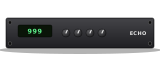





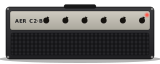






Everything in one tab
No install, no account, no backend. Open a browser and the whole pedal is in front of you.
Visual pedalboard editor
Drag to reorder, tweak every knob, and see the whole signal chain at once instead of through a four-inch screen.
Live USB-MIDI sync
Every change streams to the pedal over SysEx the moment you make it. No apply step, no save-and-reload.
Multi-layer loop station
Stack unlimited takes over the GP-200’s USB audio, driven entirely from the footswitches you already have.
Practice drum machine
Kits, grooves, swing and odd time signatures, running in the browser next to your loops. It keeps playing when you close the drawer.
All 256 patches, in one list
Search, activate, rename and reorder every slot on the device, or back the whole unit up as a single zip.
Import & export .prst
Native Valeton preset files in and out, one at a time or in bulk, so your patches are yours to keep.
Works where the official editor doesn’t
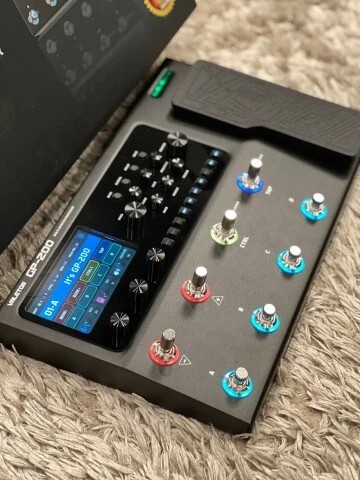
The GP-200 sounds great. Setting it up does not. The official editor skips Linux entirely, and building a patch on a four-inch screen with two footswitches takes longer than it should.
Plug the pedal into a laptop, a tablet or an Android phone with the USB cable you already own, open a browser tab, and everything is in front of you at once.
- Linux, macOS, Windows, ChromeOS and Android
- Chrome or Edge for live device features (Web MIDI)
- Works offline for editing and .prst files, with no pedal attached
- Your presets stay with you: no account, no upload, no server
Questions
The rest are answered across the thirteen guide sections.
Is GP200 Studio free?
Yes. It is free and open source under the GPL-3.0 licence. There is no account, no install and no backend — the code is on GitHub.
Do I need a GP-200 plugged in to use it?
No. Without a device you can still build and edit patches and import or export .prst files. Live sync and saving to the unit need a connected GP-200.
Can GP200 Studio record loops?
Yes. It records the GP-200’s USB audio as a multi-layer loop station with unlimited phase-locked takes, which the pedal’s own single-track looper cannot do.
Which browsers work with the Valeton GP-200?
Chrome or Edge on any desktop OS, and Chrome on Android. Firefox and Safari do not implement Web MIDI, so they can edit and export files but cannot talk to the pedal.
Does it work on Linux?
Yes — anywhere Chrome or Edge runs, including Linux, which the official Valeton editor does not support at all.
Do my presets get uploaded anywhere?
No. Everything runs inside the browser tab — there is no account and no server storing your patches. Only anonymous feature-usage analytics are recorded, and Global Privacy Control disables even those.
Build log
How it was reverse-engineered, on kabirtamari.com.
- My Guitar Pedal Refused to Talk to LinuxValeton never shipped a Linux editor, so the GP-200 got a new one in the browser: Web MIDI, 305 effects, 278 generated pedal artworks and no server at all.
- Wireshark, Ghidra and My Guitar Pedal’s SecretsWorking out the GP-200’s undocumented SysEx dialect: USB traffic captured in Wireshark, the official Windows editor decompiled in Ghidra, one misread byte at a time.